Home /
Blog /
TiviMate vs OTT Navigator: Which IPTV Player Is Better in 2026?
Apps
TiviMate vs OTT Navigator: Which IPTV Player Is Better in 2026?
9 min read·Updated October 2026·PrimeFlex support team
Both run on Android TV and Firestick, both handle huge playlists, and both have a free and a paid tier. They feel completely different to use. Here is how to choose in two minutes.
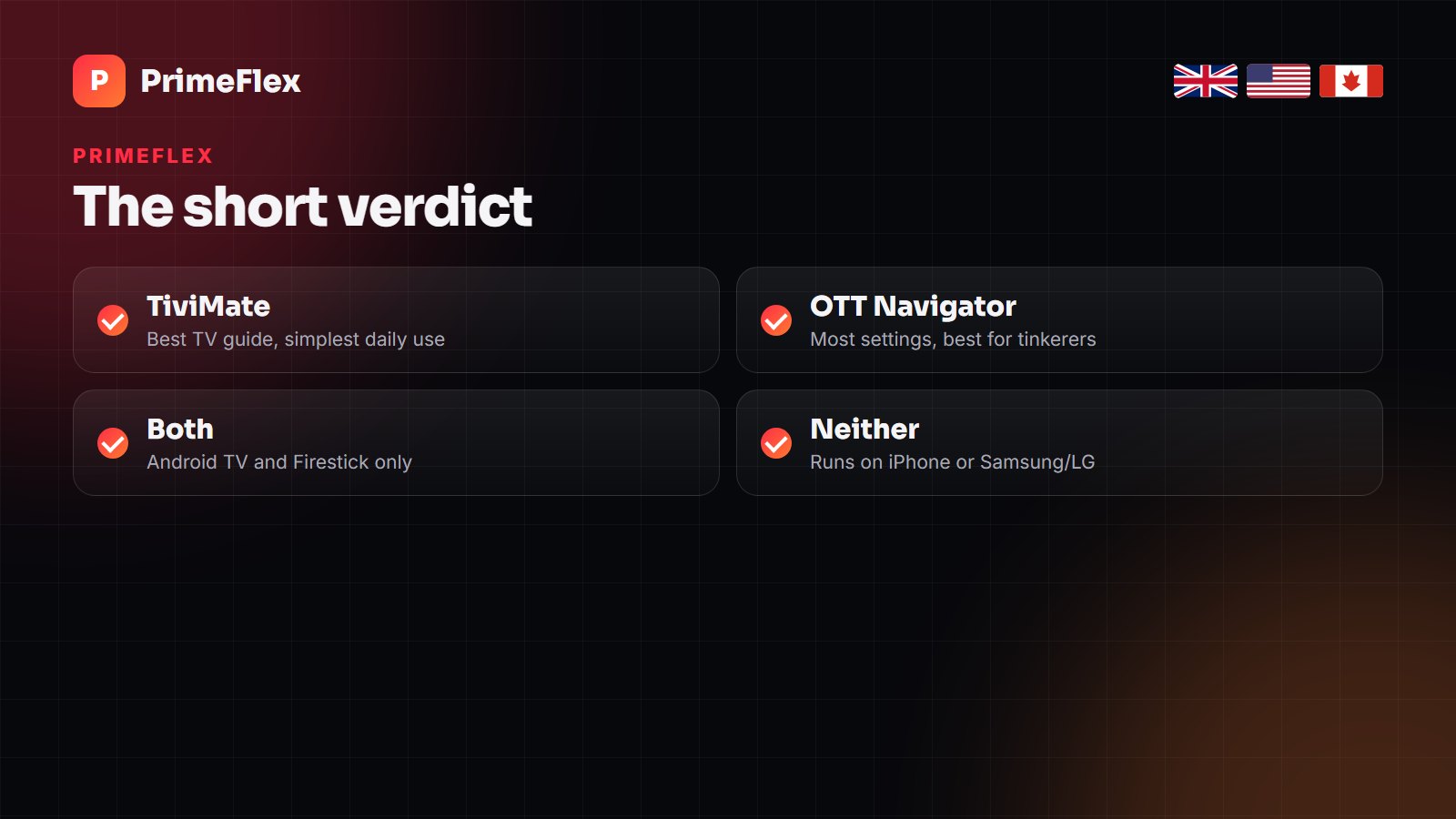
Short answer: For most people, TiviMate is the better choice: it has the cleanest cable-style TV guide, fast channel switching and simple recording, and it is the easiest to live with every day on a Firestick or Android TV. OTT Navigator wins if you like to customise everything — layouts, per-channel settings, decoders and catch-up handling — and it is stronger for browsing films and series. Both run only on Android-based devices; neither works on iPhone or on Samsung and LG TVs.
This question shows up in our support chats every week, usually from someone who has just set up a line and wants to know whether they picked the right app. We have used both on Firesticks, Shields and cheap Android boxes with a 90,000-channel playlist. Neither app is ours and we earn nothing from either.
At a glance
TiviMate
OTT Navigator
Runs on
Android TV, Fire TV, Google TV
Android TV, Fire TV, phones and tablets
TV guide (EPG)
Best-in-class grid
Good, more configurable
Ease of setup
Very easy
Easy to start, deep to master
Recording
Premium
Yes (paid tier for full features)
Catch-up / archive
Premium
Excellent
Films and series browsing
Basic
Better, with posters and metadata
Customisation
Moderate
Extensive
Price
Free tier, Premium yearly or one-off
Free tier, paid upgrade
Both are excellent. The choice comes down to how much you like settings menus.
The TV guide: TiviMate’s big advantage
TiviMate’s guide looks and behaves like a proper set-top box. Channels down the left, programmes across a timeline, the current show playing in a corner preview, and a remote-friendly layout that a non-technical family member can use without help. Favourites, hidden groups and channel reordering are quick to set up, which matters on a playlist with tens of thousands of channels.
OTT Navigator’s guide is perfectly usable and offers more display options — different grid styles, guide density, how much information to show — but out of the box it feels busier. If the TV is shared with people who just want to press up and down, TiviMate is kinder.
Speed with very large playlists
Both apps cope with big playlists on decent hardware. On an older Firestick, TiviMate tends to feel snappier when zapping and scrolling the guide. OTT Navigator is efficient with memory and handles huge archives well, but loading its richer screens takes slightly longer on weak devices.
Whichever you choose, the single biggest speed improvement is hiding the countries and categories you never watch. On a 90,000-channel line that is the difference between a sluggish interface and a quick one.
Recording and catch-up
TiviMate Premium records to internal storage or a USB drive and can schedule recordings straight from the guide. Catch-up (watching programmes that already aired) works when your provider supports it — PrimeFlex offers up to 7 days on the main channels.
OTT Navigator has particularly good archive handling: it is quick to jump back into a programme, and it gives you fine control over how catch-up is requested. Many power users pick it for exactly this reason.
Films and series
If you use your subscription mostly for on-demand films and box sets, OTT Navigator presents them better, with posters, descriptions and tidy season lists. TiviMate is built around live TV; its VOD support is functional but plain. Some people solve this by using TiviMate for live channels and IPTV Smarters for films on the same line — see our IPTV Smarters alternatives for more options.
Customisation and settings
This is where OTT Navigator stands apart: multiple decoder options, per-channel playback settings, custom layouts, profiles, deep EPG options and fine-grained control over buffering. If you enjoy setting things up exactly your way, you will prefer it. If you would rather never open a settings menu, TiviMate’s defaults are better.
Whichever you use, three settings help on every line: raise the buffer to 3–5 seconds, switch the decoder to hardware (try software if you get sound without picture) and set the correct time zone so the guide is not an hour out.
Price
Both have a free tier. TiviMate’s free version is limited to one playlist and leaves out recording and catch-up; Premium is bought through the TiviMate Companion app on a phone, as a yearly subscription or a one-off lifetime purchase, and covers several devices. OTT Navigator’s free version is fully usable with some limits, and a paid upgrade unlocks the rest. Either way, the cost goes to the app developer, not to your IPTV provider.
What if you are not on Android?
iPhone, iPad, Apple TV: neither app exists. Use Smarters Player Lite or IPTVX.
Samsung and LG TVs: neither app exists. Use IBO Player, Smart IPTV or a similar MAC-based app.
Windows and Mac: use IPTV Smarters desktop or VLC.
Mostly live TV and sport, shared family TV: TiviMate (Premium if you want recording).
Lots of catch-up, films and series, and you like tweaking: OTT Navigator.
Can’t decide: install both. Your line works in either, and trying them costs nothing.
Both apps take the same login: server URL, username and password (Xtream Codes). Any PrimeFlex line works in either.
Frequently asked questions
Is TiviMate better than OTT Navigator?
For most living rooms, yes: TiviMate has the clearer TV guide and is simpler to use day to day. OTT Navigator is better for customisation, catch-up handling and browsing films and series.
Is OTT Navigator free?
It has a free version that is fully usable for watching, with some features reserved for a paid upgrade.
Does TiviMate work on Firestick?
Yes. It is installed through the Downloader app on Fire TV devices and runs on Android TV and Google TV too.
Can I use TiviMate or OTT Navigator on iPhone or Samsung TV?
No. Both are Android-only. Use Smarters Player Lite or IPTVX on Apple devices and IBO Player or Smart IPTV on Samsung and LG TVs.
Can I use the same IPTV login in both apps?
Yes. Both accept Xtream Codes logins and M3U playlists, so one subscription works in either app.
Which app is best for recording IPTV?
TiviMate Premium is the simplest for scheduled recordings from the guide; OTT Navigator also records and has stronger archive handling.
Try both apps on a real line.
Take our 24-hour free trial and set it up in TiviMate, OTT Navigator or both. We will help with the login.